Before I dive into the explanations behind each of my systems, I thought I should give a bit of an introduction to the project as a whole. This project was the basis for my 2017 honors thesis, for which I received a Second Class - Division 1. I was very much exploring these systems while I was developing them, so their implementation may be a bit disorienting. I'll try my best to explain them all properly in this post, but if you want the full experience, I suggest downloading my actual thesis. It may be 46 pages long, but those are some darn good pages if I do say so myself.
Ok , so why this topic? I'm glad you asked, it's actually fairly straightforward. I'm a game developer that usually works by himself or in small groups and the biggest concern a lot of the time is content; the amount actually needed to finish a project can be fairly large. Forests are one of the more popular environments in video games, so I simply joined the dots and viola, my research problem was born. While there is a nice chunk of literature out there on PCG (Procedural Content Generation), very few of them tackle the performance considerations needed when designing game environments. My research gap was found.
So, armed with my research problem and my research gap, I dived into designing and prototyping the seven systems in Unity. I'll be covering everything in a fairly casual way throughout this post, so if you want a more 'scholarly' read, make sure to download my actual thesis.
Terrain Generation
So, Height Generation. This was the first system I implemented completely, and for good reason. This system controls the overall shape of the generated environment, from the rocky hills to the rolling plains. The 'Height' portion of 'Height Generation' refers to the way I went about creating the shape of the environment. I generated a type of image known as a 'height map' to achieve it, hence the name. Obviously, it would be a good idea to get the 'base' of the environment down first, so I dived straight in.
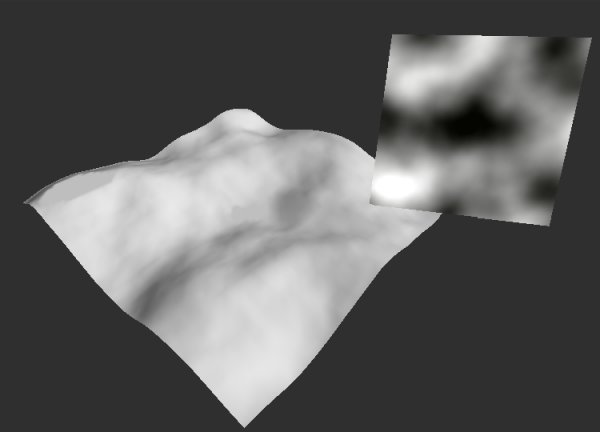
The first thing I need to cover is perlin noise. If you are familiar with PCG at all, this should be a pretty obvious solution, but I need to explain it to everyone else. Perlin noise is a type of noise created by a man called Ken Perlin (shocker I know) and is extremely common in the game development sphere. It's basically a type of 'smooth' noise, that creates random yet 'rythmatic' noise. This type of noise is perfect for natural environments, as it is extremely versatile. By generating this noise using Perlin's algorithm and applying it to my base terrain, I was left with this:
A Perlin noise texture alongside the heightmap output
As you can see, the 3D terrain is being sculpted by the 2D perlin noise texture, thus giving me an easy way to generate random, yet believable terrain. I went on to generate two more perlin textures with vastly different parameters before combining all three, leaving me with some very unique height generation. Here's an extremely slowed down video of the system at work:
Texture Generation
Well I'm not sure if you noticed, but that video of my Height Generation system was pretty gross looking. That is the reason why the next system I created covers Terrain Texture Generation. Not to be confused with my previous perlin noise texture generation, this system was designed to give the environment more color and contrast by texturing it. This system also houses my first foray into generation algorithms, so stay tuned.
The main aim of this system was the automated placement of textures at contextual locations. For example, I wanted the system to place grass textures at low altitudes and flat plains. To achieve this, I needed some specific pieces of information; the height and angle of each pixel of the terrain's heightmap. The engine I used to develop this project, Unity, possessed some very useful functions that could supply me with that exact data with it's GetHeight and GetSteepness methods. These methods do exactly what you'd think when supplied a heightmap pixel, thus solving my information issue.
Now it was all well and good to have the height and angle of each pixel, but I needed to design an algorithm to actually select specific textures to specific heights. This is the first one I designed, it was used to place the grass textures:
x = clamp( cosh〖g/h〗− 1.25) − clamp( s*s)/ (t/f))
Where x is grass texture transparency from 0 – 1; g is grass height lenience; h is height of thecurrent pixel; s is steepness of the current pixel; t is the max height of the Terrain; f is grassflatness lenience
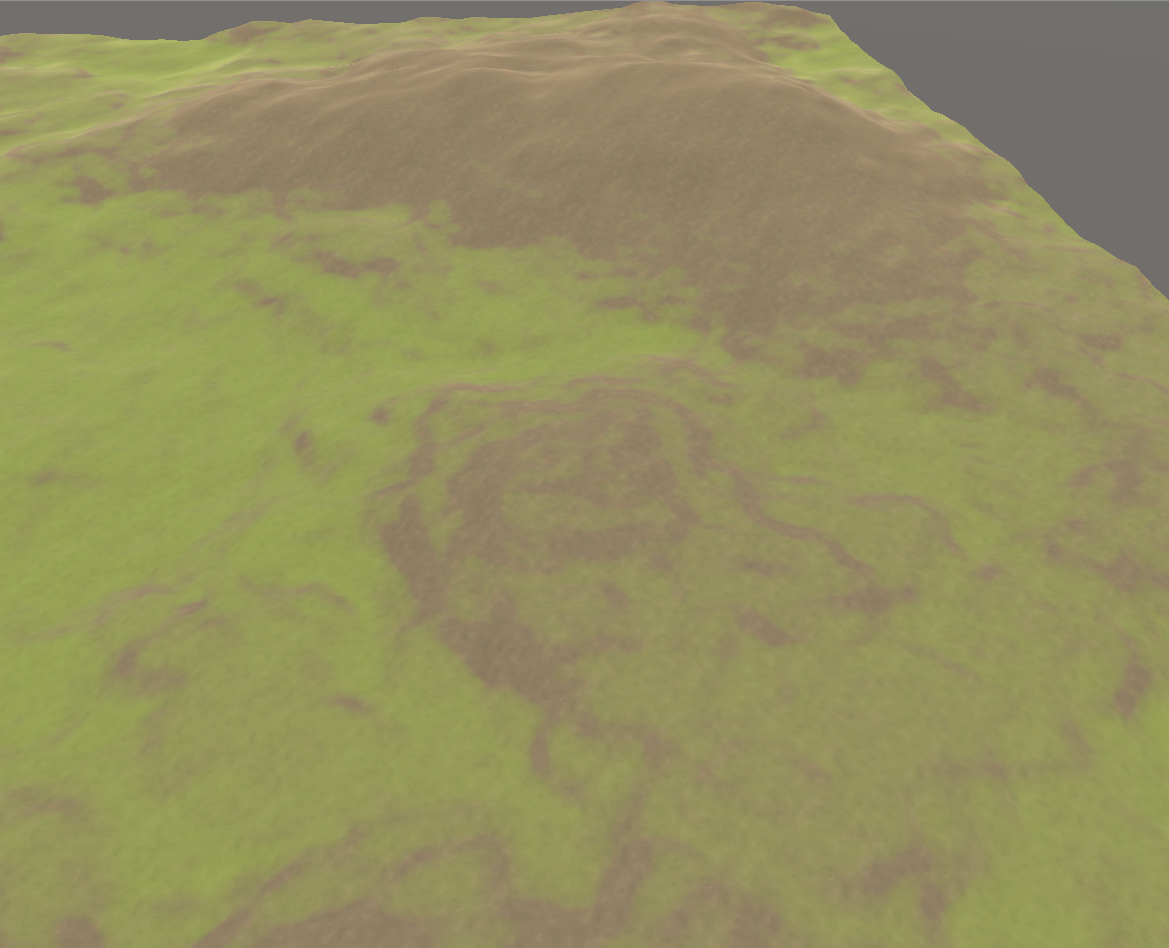
Now what this algorithm does is decide the transparency of the applied grass texture at any given pixel. If x equaled 0, I would simply skip that pixel instead of placing an invisible grass texture for performance. The algorithm allowed for fine control over how the grass texture was placed, with both g and f being two easily altered variables. Here's an example of this algorithm in action:
A grass 'rule': The grass texture can only be placed below a certain height, and only on flatter areas.
As you can see, the grass texture is only being applied on lower and flatter sections of the terrain, as that is how I designed the algorithm. You can also see how the grass texture is 'blending' into the dirt texture as it approaches it's maximum height/angle.
With the grass rule out of the way, I also wanted a rule to control the placement of rock textures, to give the terrain a bit more visual variety. I had to do something a bit different with this one though, as I needed the angle of a single axis at each pixel. To do this, I analysed the 'normal' of each pixel. In this case, the pixel's normal refers to it's rotation on all three axis' (x, y and z). Here's the algorithm I designed for that:
x = clamp((h/r^2)*cosh〖n/a〗
Where x is rock texture transparency from 0 – 1; h is the height of the current pixel; r is the
rock height lenience; n is the current pixel’s normal value on the z axis; a is the rock angle
lenience
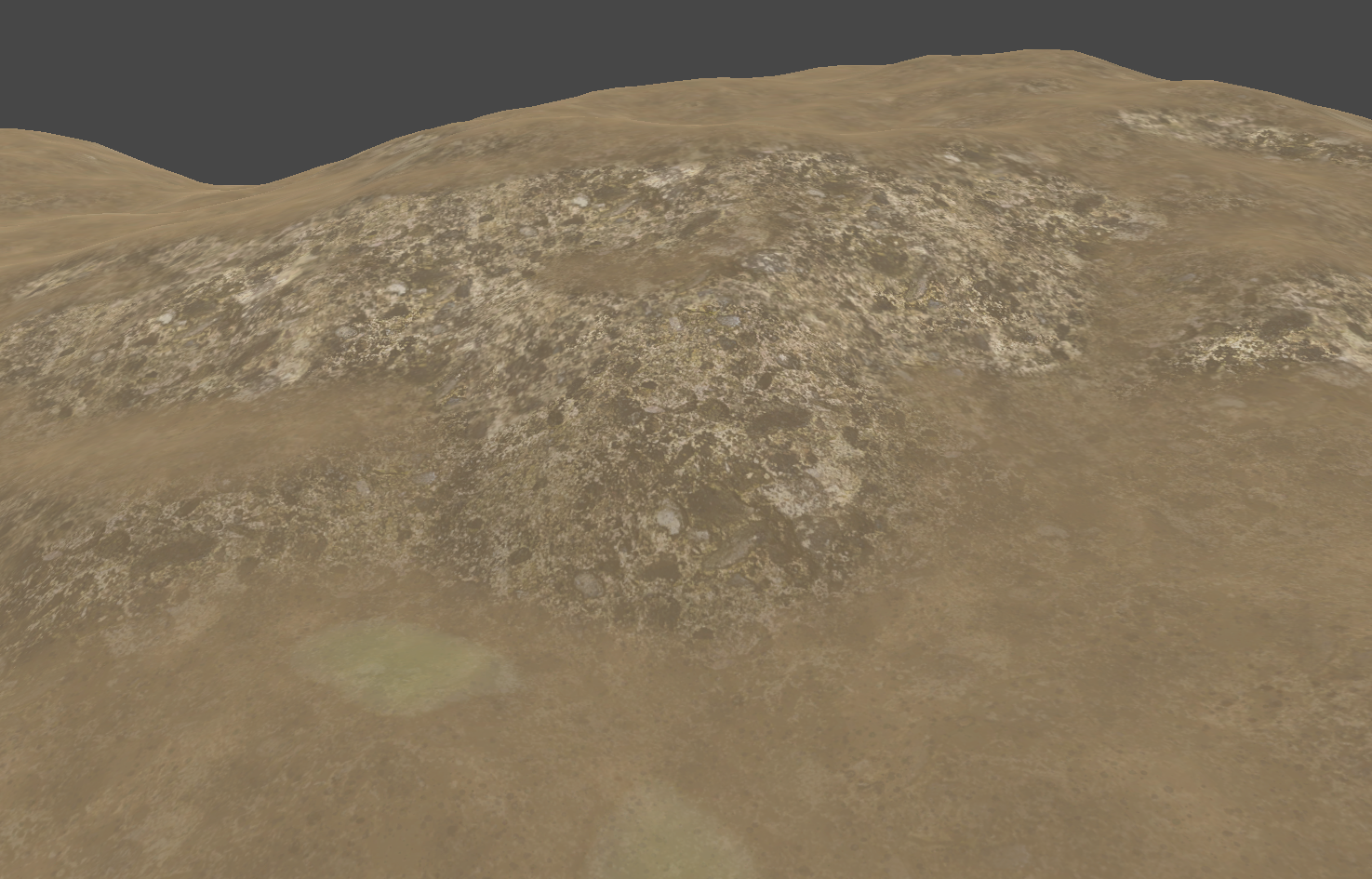
Inverse to the grass rule, I designed this algorithm to place the rock textures at high altitudes. Like the grass rule, it returns a value between 0 and 1, letting me easily control the transparency of the texture at any given point:
A rock 'rule': The rock texture can only be placed on high and steep surfaces.
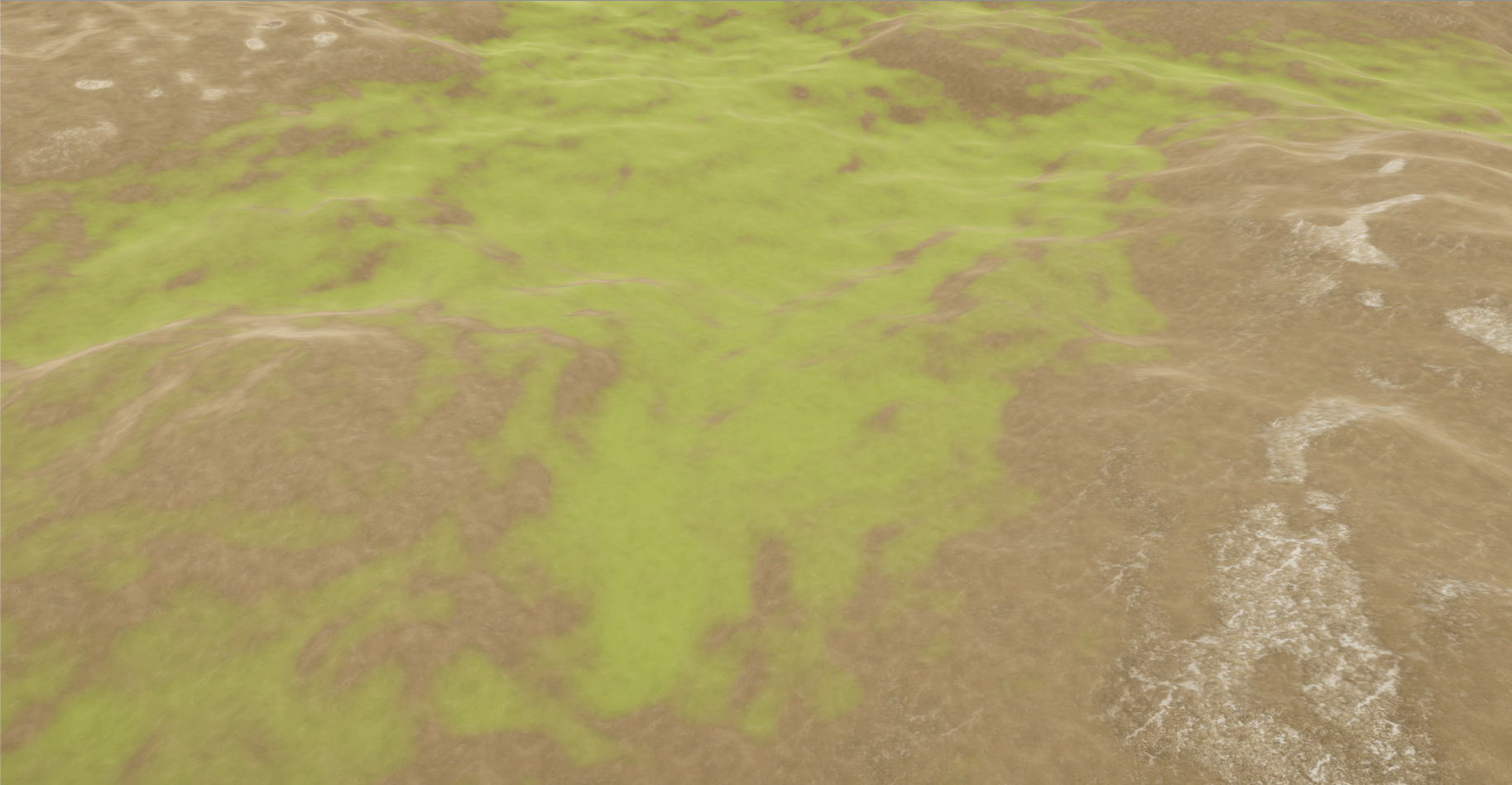
Running these two rules together at each heightmap pixel resulted in varied textures being placed all throughout my terrain. This texture placement was actually more crucial than the height generation of my previous system, as multiple systems designed after this one analyse the generated terrain textures during their own processes.
Both grass and rock rules being applied together, with appropriate blending.
Detail Placement
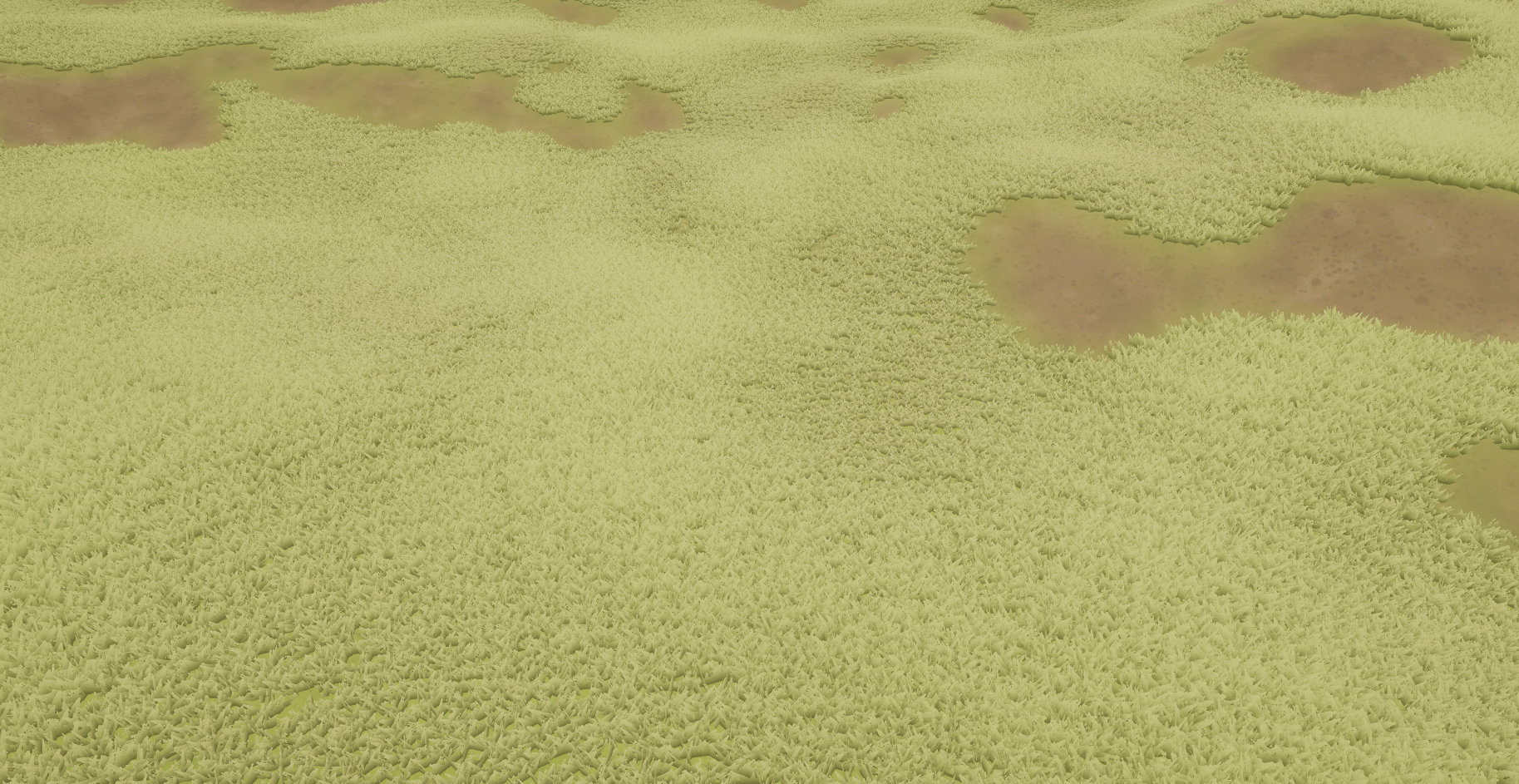
Even with those nice textures I still felt my terrain was a bit flat, so the next system I designed was Detail Generation. When I say details, I'm referring to the smaller parts of a forest environment, mainly swaying grass. This system was fairly straightforward to design and implement, as all I needed was the textures I generated in my previous system.
The way I automatically placed the details was by analysing the textures present at any given pixel of the terrain. If the alpha value (that 0 to 1 value of my texture algorithms) of the grass texture on the selected pixel was above a certain threshold, the system would place a grass detail.
The grass detail rule: Only place grass details on the grass texture.
As you can see, it definitely added some depth to my environment when these details were generated. However I wanted finer control over the general placement of these details, so I implemented two variables. The first was Detail Placement Power:
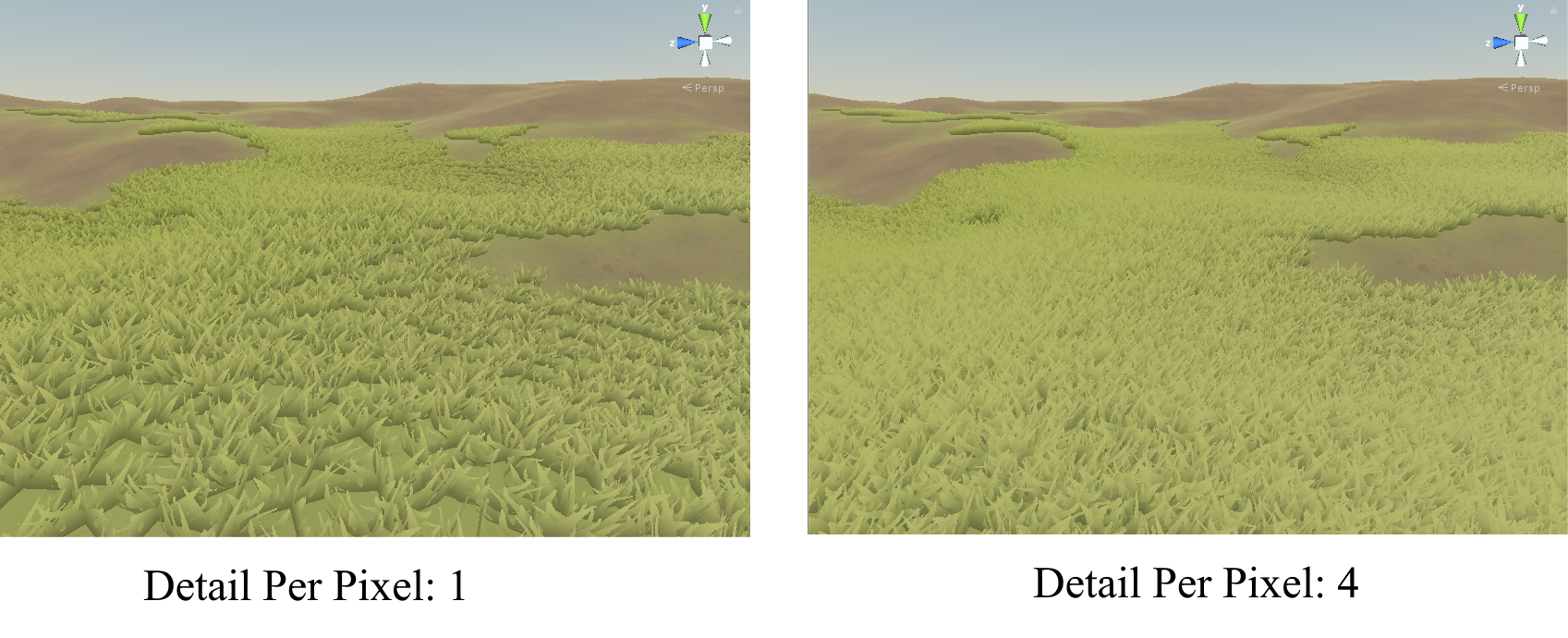
A variable that will skip terrain points for more performance, at the cost of less density.
This variable would hook into the loop I used to analyse terrain pixels and would skip over pixels that weren't a power of DetailPlacementPower. This allowed me to reduce the details placed as a whole, thus giving me the ability to run the environment on lower-end machines. The second variable implemented was DetailPerPixel.
A variable that controls the amount of details per point for more density, at the cost of performance.
This variable did the complete opposite to DetailPlacementPower, and (suprise suprise) increased the amount of details placed per terrain pixel. These two variables allowed me to completely control the density of the generated details, very convenient.
Object Placement
After I'd gotten some of the small details (heh) out of the way, my next planned system was a big one, Point Generation. This system was responsible for placing the actual objects that would populate the forest. Trees and rocks were the two main objects I chose to place around my environment, as they are both fairly common in forests.
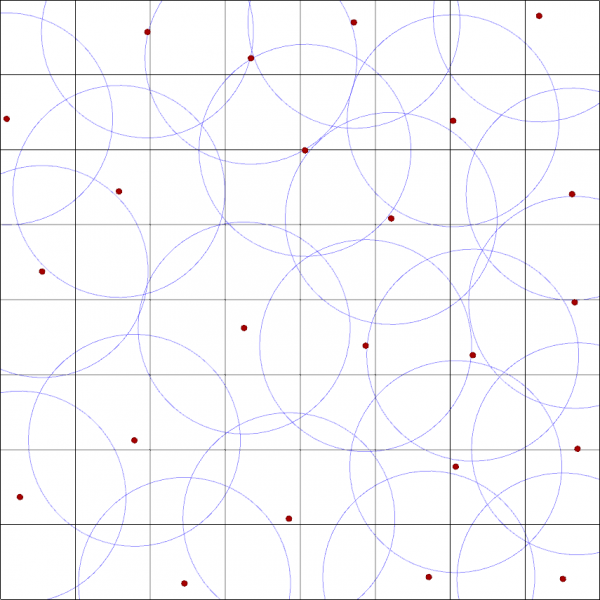
Before getting into my implementation, I've got to do a small presentation on Poisson Disk Sampling. Poisson Disk Sampling is a way of generating random, yet structured point placement. The algorithm has three main steps:
1. Create a 'phantom' grid for the algorithm to iterate through. Grid cells need to be sized to allow only one 'sample' within them.
2. Place a point within the grid randomly and add it to an 'active list'
3. While the 'active list' is not empty, choose a random point from it and generate a specific amount of points around it. If one of those generated points is outside a specified radius around the selected point, remove all other generated points and add that one to the active list before removing the old selected point. Continue until the active list is empty.
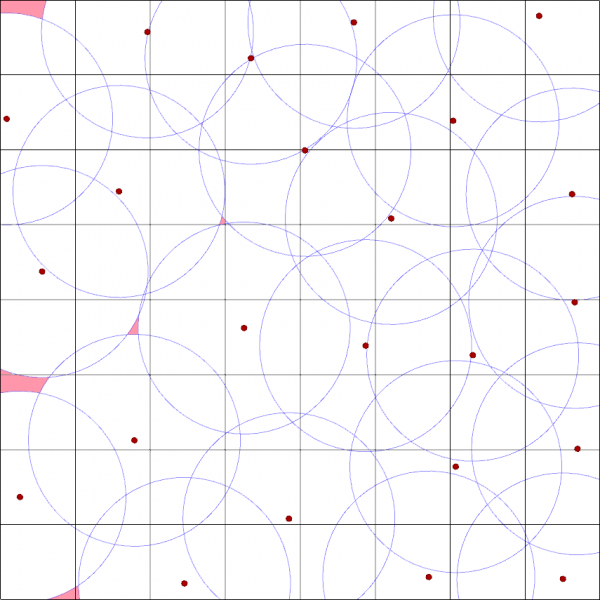
Above is a basic implementation of Poisson Disc Sampling. As you can see, each point has been placed at random, but no point is within another point's 'radius'. This algorithm is extremely useful for object placement, but there is some margin of error as seen here:
I've highlighted the places a point COULD have been placed in red. The random nature of first placed point is the cause of this, It's not that devastating an error, but it was something I had to keep in mind moving forward.
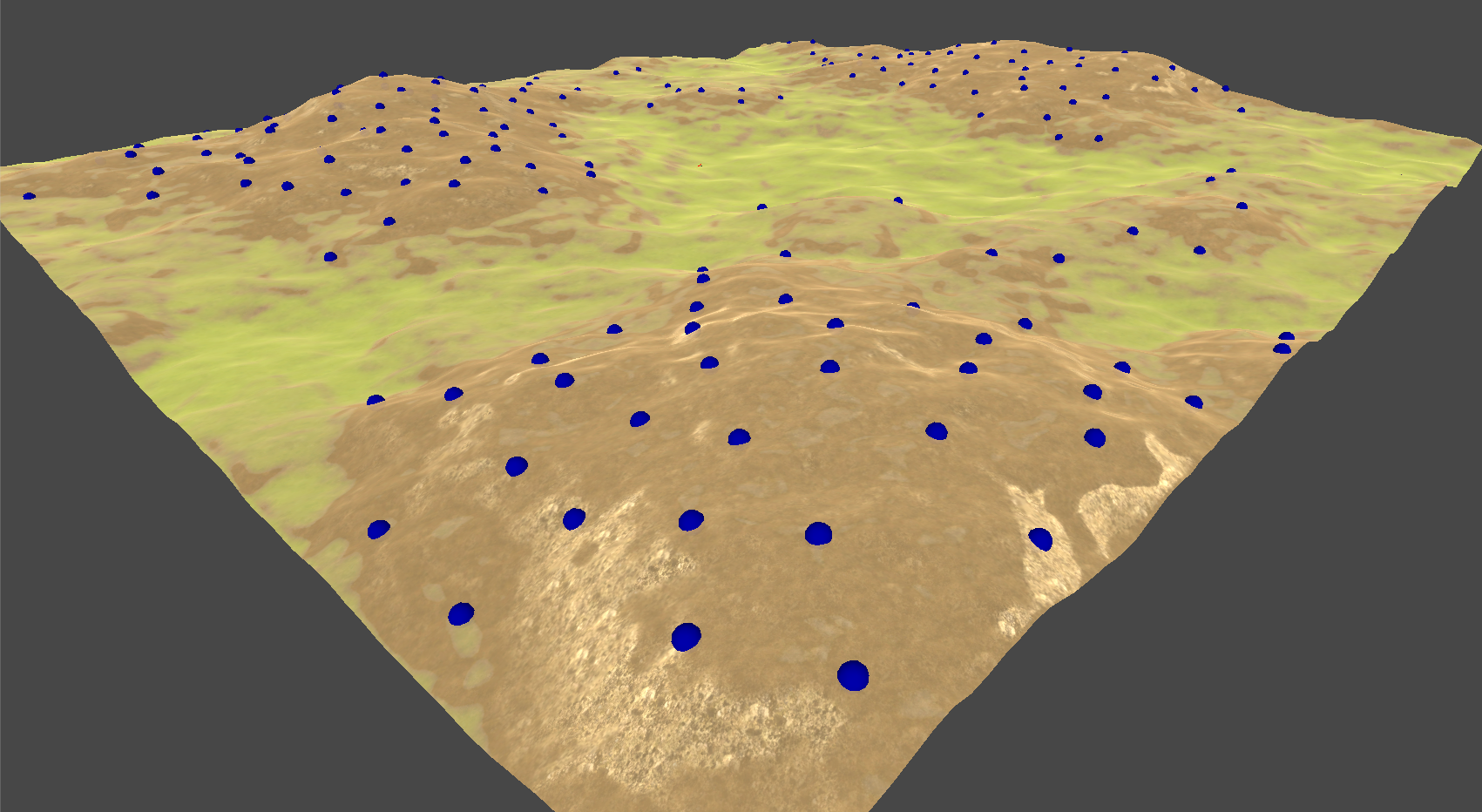
As you can see, Poisson Disc Sampling is a mighty fine placement algorithm... for 2D points. I quickly ran into the task of transforming these 2D points into 3D ones. My approach was fairly simple, I generated the points as usual, but when a point was generated I cast a 'ray' from above the point. This ray would cast directly downward, and would get the height of the terrain at the point's 2D coordinates. Combining this height value with the generated 2D coordinates, I successfully converted a 2D placement algorithm into 3D:
Placing points around the terrain using Poisson Disc Samping
After that, I decided that I wanted rules for the point placement, similar to those of my Detail Generation system. Specifically, I wanted trees to only be placed on dirt. This was to allow some open areas in the generated forest to break up the scenery. I did this in the exact same way as my details, I sampled the alpha of the terrain texture at all the generated points to decide whether the point should be placed:
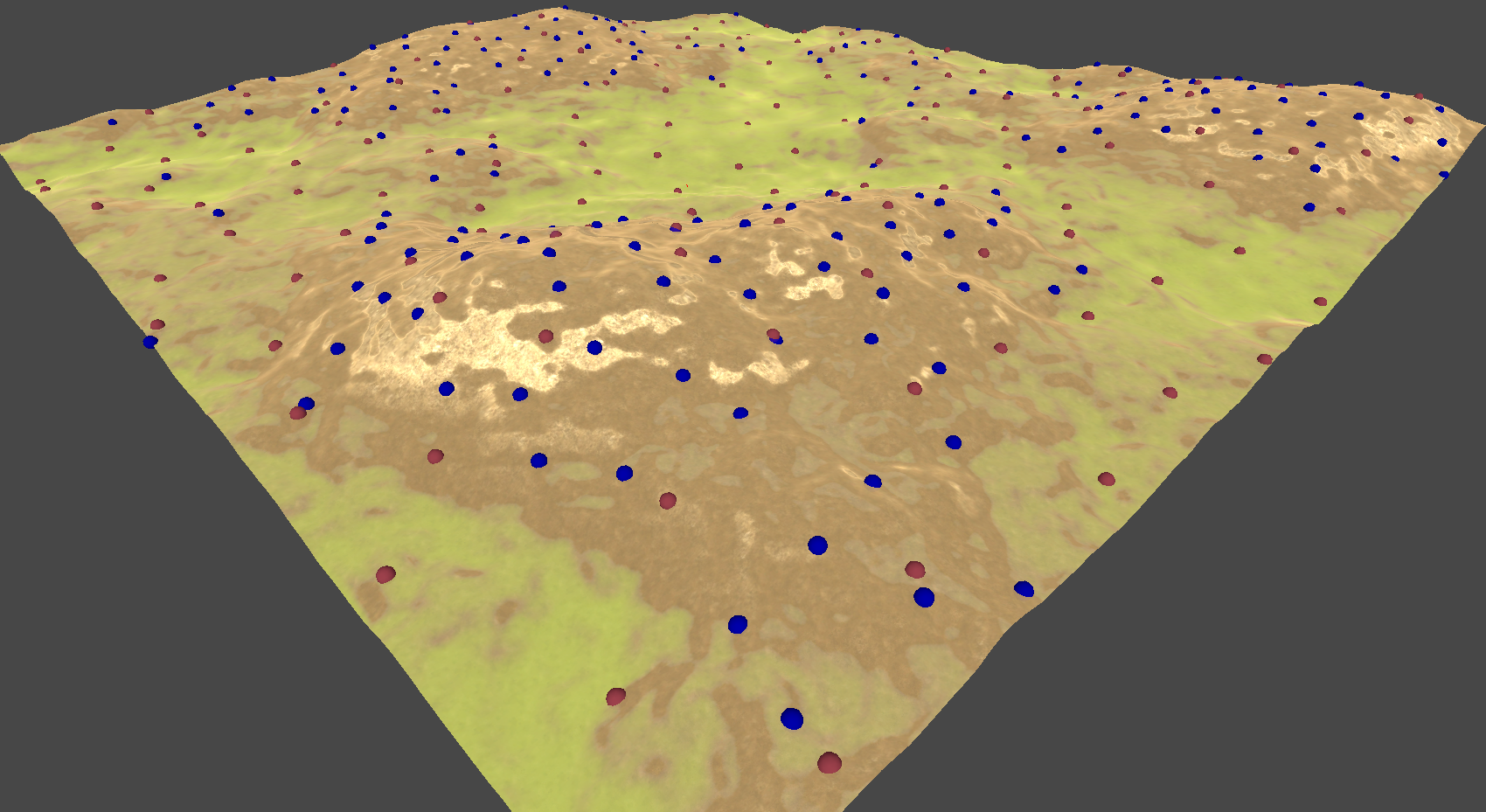
Then I added a second Poisson Disk Sampling pass to generate points for the rocks. I didn't care where these rocks were placed, so I didn't implement any specific rules for them:
A second Poisson Disc Sampling pass that will place points anywhere.
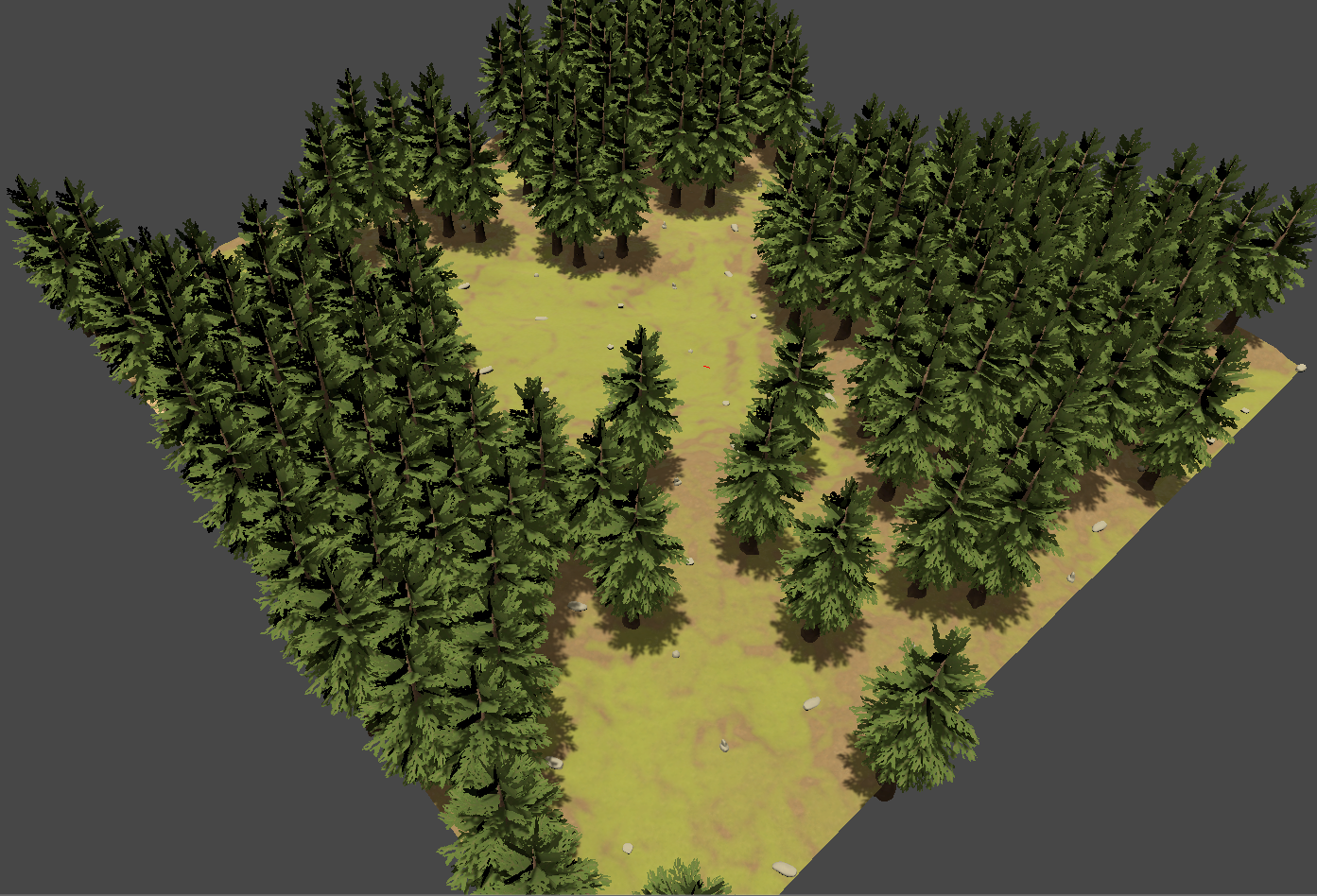
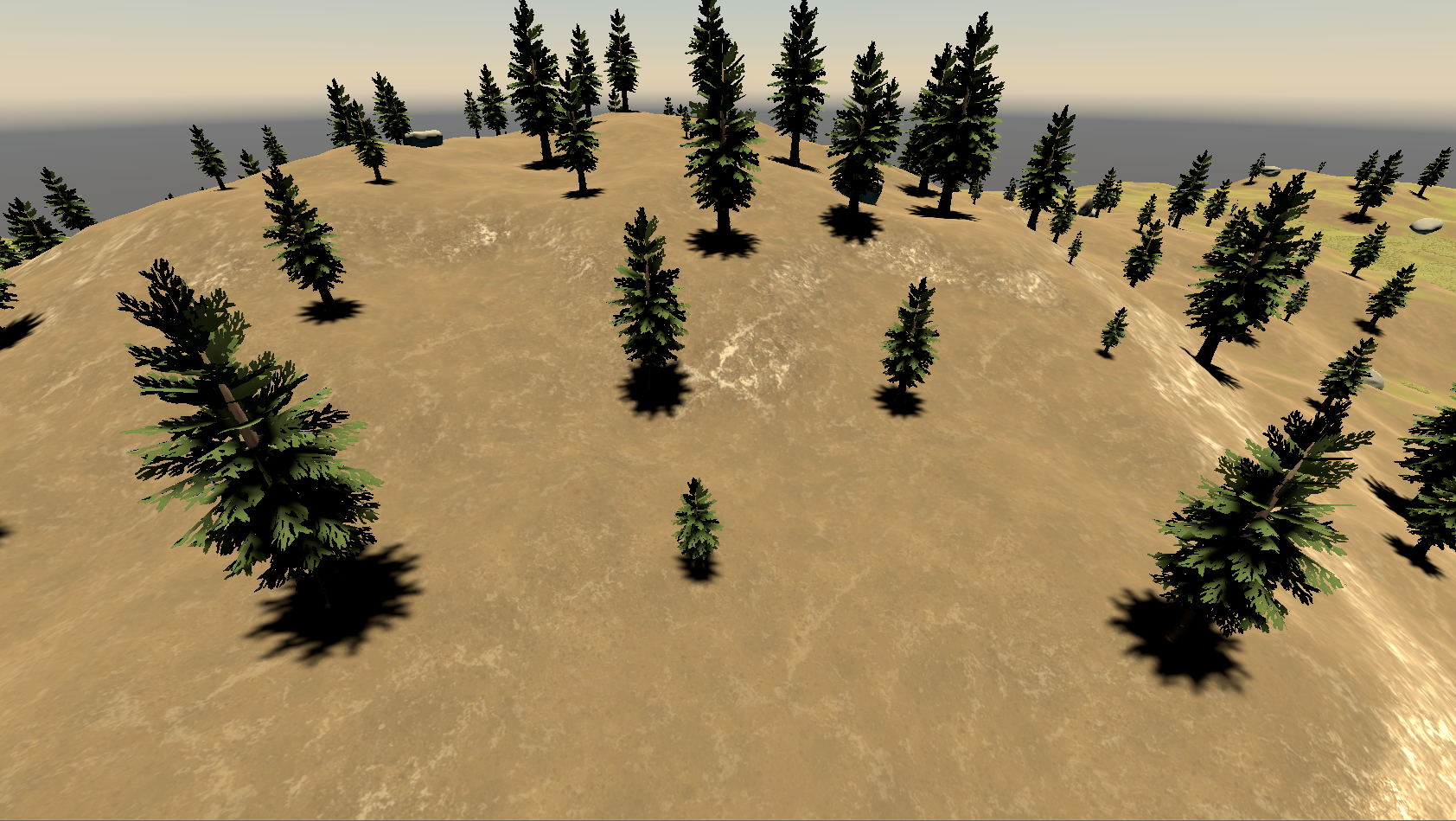
With the points generated, it was fairly simple to just place the wanted models at each point. To add some more randomness, I rotated the models randomly when they were placed. Here's the end result:
Placing actual objects at those generated points.
Shadow Evaluation
While simply analyzing the textures of the terrain gave me a varied environment of open fields and cramped forests, I wanted to populate the scene even more. To do this, I decided to design a system that would place objects in the shadows. These things could be mushrooms and other objects that require dark environments. This required a system that could capture and analyse the shadows in the generated environment.
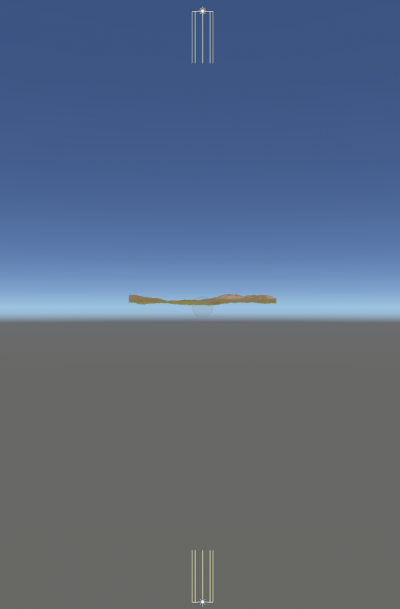
An orthographic camera above the generated environment.
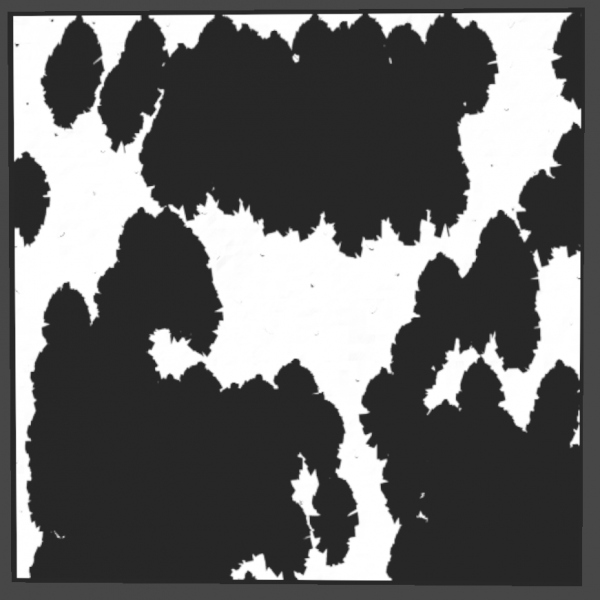
To do this, I devised a system that used an orthographic camera as the 'shadow capturer' as seen above. This camera had a shader attached to it that only rendered the shadows cast on the terrain itself. I then took a snapshot using this camera, having shadows in black and the terrain in white.
The shadow map of a scene full of trees.
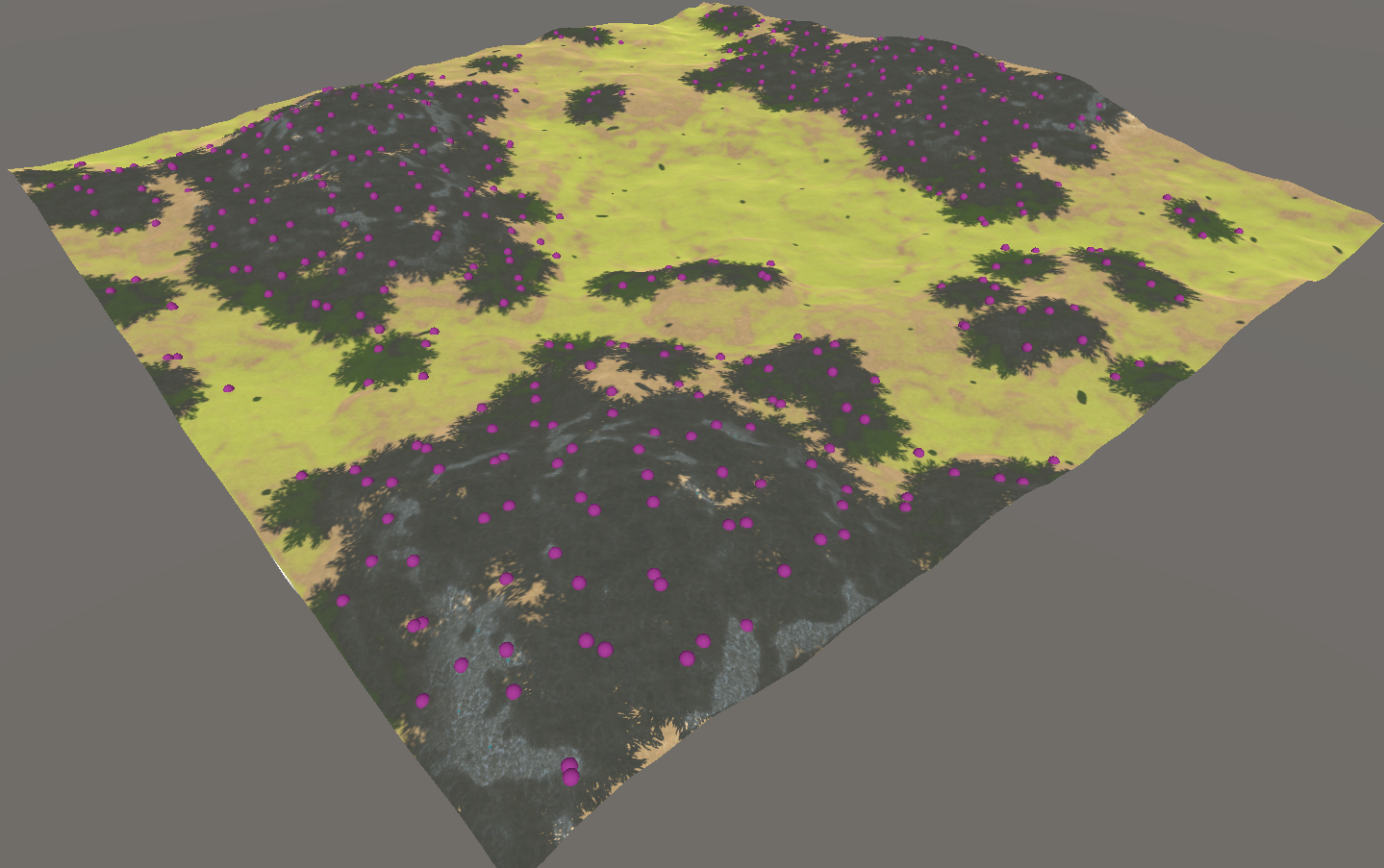
This technique left me with a black and white 'shadow map' the same size as the terrain. I used this texture alongside the Object Placement system to create a new placement rule. This rule required the Object Placement system to analyse the shadow map in the same way as the terrain's textures. The rule was simple, place objects on anything that is colored black.
Using the shadow map to place points in shadows.
Life Cycle Simulation
Now that I've explained the generation systems, it's time to begin the simulations. I wanted to give the forest more 'life', so I first designed a life cycle simulation system. To make sure the system was optimized for real time from the get-go, I made a central controller that would handle all life cycles in the environment. I used this controller to age all the objects with life cycles every x seconds. The life cycle objects then scaled themselves from 0.1 to 1 based on their age.
An example of different aged trees, growing after the object placement was completed.
While I took steps to make sure the system was optimized from the start, I still found the system's performance lacking in larger forests. To combat this, I devised two 'modes' to optimize the way each object scaled themselves, 'stepped' and 'smooth'. The stepped scaling mode was used when the camera was further away from a scaling object, and would instantly apply any age scaling. The smoothed scaling mode was the opposite. When the camera was close to a scaling object, the object would smoothly transition to it's wanted size.
Day/Night Simulation
Finally, I wanted to give the lighting of the environment an overhaul by implementing a Day/Night system. To begin, I created two directional lights to represent the sun and moon, before placing them under a dummy object in the center of the environment (see image below). I then created a time controller that would increase a decimal timer using a custom time multiplier. I would then use that timer to calculate the 'solar hour angle', the real world angle of the sun in the sky at any given time. It was simple to then apply that angle to the dummy object, rotating the sun.
The sun and moon lights, positioned under a dummy object
A diagram of the hour angle algorithm
Next up, colors. I couldn't simply leave the color of the sunlight the same throughout the day, that's not how it works in real life! To start combating this, I used an equation to determine the angles of both sunrise and sunset. With these values in my arsenal, I then created a color gradient to change the sunlight color at the various times of day. I then normalized the current sun angle into a 0 to 1 value, 0 being the sunrise angle and 1 being the sunset angle.
The gradient used when coloring the environment
Once I had that normalized value, I could sample the color at that position on the gradient I previously created. This color was then applied to the light representing the sun. Viola, I now had a real time day/night simulation system. There were a few more small things I had to add, such as making the sun and moon not emit any light when they weren't needed, but these things were very minor additions to the overall system.